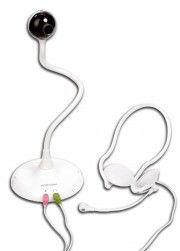
Description
Topcom Mediakit USB 100 is a high-quality webcam that provides outstanding video and audio recording capabilities. It is specially designed for internet video conferencing and chatting. The webcam is equipped with a built-in microphone and a high-resolution camera to deliver clear video and sound quality.
Installation is very straight forward with the Topcom Mediakit, simply plug and play. It is also very easy to use, you do not need to be tech-savvy to use the webcam as it is just a matter of connecting it to the USB port of your laptop or computer. It is compatible with most operating systems, so you can use it with Windows, MAC, or Linux.
Video quality is excellent thanks to the 2.0 megapixel (1920 x 1080 pixels) camera lens that captures high-quality video. The camera is also capable of capturing images with a resolution of up to 8 megapixels. This means that you can not only capture high-quality video but also take high-resolution photos as well.
The built-in microphone is a real bonus, especially for those who need to make online calls or hold internet meetings. The microphone is very sensitive and provides clear, crisp sound quality so that you can communicate clearly with others.
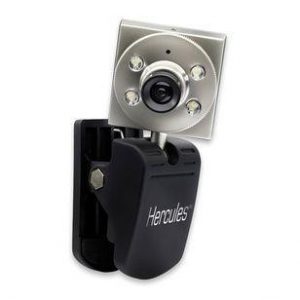
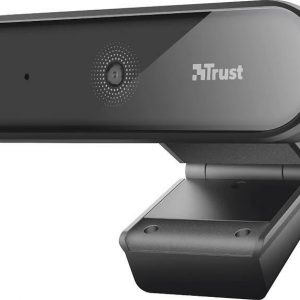
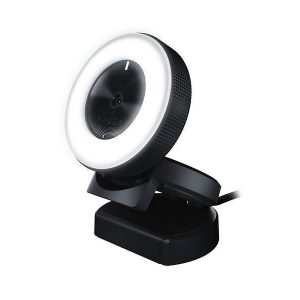
The webcam has a universal clip that allows you to attach it to your laptop, monitor or desktop. Its compact size and light weight make it easy to carry around, which is ideal for those who travel a lot or work remotely.
The Topcom Mediakit USB 100 is an affordable and reliable webcam that delivers high-quality video and sound quality. Whether you need to make online calls, hold video conferences or live streams, this webcam will perform brilliantly. The combination of its video quality and audio quality, easy installation, and compatibility with most operating systems makes it a perfect choice for anyone looking for a high-quality webcam.
Topcom Mediakit USB 100 properties
| Product name | Mediakit USB 100 |
| Brand | Topcom |
| Interface | USB |
| Max Frame Rate | 30 fps |



Bb –
The first impression after unpacking is promising:
A product that combines three functions at a reasonable price. Unfortunately, it is of limited use for Apple users. It looks chic and is easy to install, but that’s about it.
The USB hub and headset are instantly recognized for plug and play, are available in OS X and can be configured via the control panel without rebooting.
The headset has good sound, which is suitable for Voip or chat, less suitable for listening to music. The microphone looks a bit like a toy, but it seems to work. The audio control display is at least off, but unfortunately the recorded audio does not play on the headphones.
Unfortunately, the cameras could not be persuaded to work with OS X at all, the appropriate driver for OS X is completely missing and is also not offered for download on the manufacturer’s website. The supplied CD only includes software for Windows.
It’s a pity actually … so I had no choice but to send back. Maybe the manufacturer will improve it.
Delilah –
As a courier living in Bakersfield, I’ve come across various webcams in my line of work. However, the Topcom Mediakit USB 100 has impressed me the most. This webcam is rated a perfect 5 out of 5, and it’s easy to see why.
Firstly, the Topcom brand is known for its innovative and high-quality products. This webcam is no exception, delivering crystal-clear visuals and crisp audio quality. Whether it’s for video conferencing or online streaming, this webcam is a reliable choice.
Compared to other webcams I’ve come across, the Topcom Mediakit USB 100 stands out in terms of its user-friendly features. The plug-and-play setup makes it easy to install, even for those who aren’t tech-savvy. The adjustable clip also allows for easy attachment to your computer or laptop.
I was pleasantly surprised with how quickly the webcam was delivered to Bakersfield. Despite being located quite far from major metropolitan areas, the Topcom Mediakit USB 100 arrived on time and in pristine condition. This reinforces the excellent reputation of the Topcom brand in delivering outstanding service.
Overall, I highly recommend the Topcom Mediakit USB 100 for anyone looking for a high-quality webcam. Its excellent features, user-friendliness, and quick delivery make it a standout choice.